2 HN users recommended this explainer2 months2022–2026score 2
Years with an HN recommendation, 2007–2026
Frequently linked as visual proof of how a CRT's raster scan and phosphor decay work.
The Slow Mo Guys film a TV and screens with a high-speed camera to show how displays build an image. The footage includes CRT-style scanning and how pixels light up over time.
“This YouTube video by "The Slow Mo Guys" shows this in action” (HN, 2025)
CRTs are still slightly magical to me. The image doesn't really exist. It's an illusion. If your eyes operated at electronic speeds, you would see a single incredibly bright dot-point drawing the raster pattern over and over. This YouTube video by "The Slow Mo Guys" shows this in action: [this video]
Slow Mo Guys show the CRT single-dot raster scan in action.
That's not quite true. Only one pixel is being activated at a time but the phosphors continue to emit light for many pixels. In practice you get a handful of lines lit to varying degrees at at time. Maybe 1-2 lines quite brightly lit and then a trail of lines that are fading pretty significantly (but still emitting light). They yes, our persistence of vision fills in the rest to provide the appearance of a fully lit screen. This video has some great slow-mo of CRTs [this video]
Great slow-motion footage of CRT scanning and phosphor trails.
1. As GL1zdA already pointed out in blog comments 1992 Creative Video Blaster CT6000 was a single frame screen grabber and not a video encoding/decoding accelerator. YT "Creative Videoblaster CT6000 in action" [link] shows what it does. [link] "converts a standard full-motion video image (composite video source) into a format for display on a computer graphics monitor" emphasis on the _image_. "It can position and scale the video image onto the output display and allows the video image to be merged with computer graphics for interactive multimedia applicaiton." means overlay analog video on VGA monitor. The first true video decoding accelerator on PC market came out of David Sarnoff Research Center owned by RCA, later purchased by GE, then finally video tech carved out and sold to Intel. Called Digital Video Interactive [link] it did in fact "real time audio and video decompression, 30 frames per second with a resolution of 320x240". Intel repackaged it into one chip i750 and called it Indeo. Creative released a product based on it in mid 1994 - Video Blaster RT300. PCI bus was already mainstream in 1994, as were Pentiums. You most likely blurred those two together into one product. 2. "so the quality could be very high. Streams of 8 to 12 mbit of data for a single channel were no exception." SD video DVD bitrate is 10Mbit, and here we have OTA stations pushing 720p/1080i at same or lower bw using same codec (US mpeg2). Whole multiplexer in ATSC offers ~20Mbit, and then TV st
It's said later in the article that you'd need two colors with similar brightness to avoid perceivable flicker. CRTs did have some afterglow but it wasn't even for a full frame, let alone two. [this video]
Slow-motion footage showing how CRT phosphor persistence works.
"The video makes it seems that there's no temporal bleeding on CRTs. This sounds unlikely to me..." There is, but I don't remember it being noticeable even on cheap TVs. I still miss the lack of motion blur that CRTs gave by default. I found a forum post where someone lists these values: "Phosphors in current use for CRT-applications: Red: phosphor = Y2O2S:Eu3+. Lifetime (1/e time) = 150 us, single exponential. Green: phosphor = Zn2SiO4:Mn2+. Lifetime (1/e time) = 10-15 ms. Clearly, this is quite long and is the limiting factor in increasing frame-frequency. Note: the emission decay has a highly non-single-exponential decay --> at long times (~1 s) still some emission can be observed by the eye. This can be seen clearly by looking into the green CRT directly after the image was switched off. However, the intensity is too low to cause problems in an active image when the image-frequency is below ~100 Hz. Blue: phosphor = ZnS:Ag,Cl. Lifetime (1/e time) = ~100-200 us. Note: not single-exponential decay, but no emission at long times. (Source: Shionoya & Yen, "Phosphor Handbook", 1998.)" [link] And in this high framerate video of a CRT you can see the different colors decay at different rates. Here the blue seems to decay the fastest. But they're all imperceptibly dark by the time the scan line comes around again. I have no idea if there's any cumulative effect that's perceptible. [this video] [link]
High-framerate CRT video showing colors decaying at different rates.
That's an oversimplification of the physics. CRT televisions have very low persistence phosphors. If you look at high-speed video of a CRT during a raster scan, the line is visible for far less time than the entire frame [1]. This technique relies on persistence of vision [2] to create the illusion of a complete frame. If you want to calculate the response time of a single dot on the phosphor, it is way down into the microseconds. I don't know enough about OLED displays to comment. I do know that LCDs don't even come close to the speed of CRTs at transitioning through high contrast images, the key to producing fast and responsive motion of sprites (which are high contrast against the background by design in most retro games). [1] [this video] [2] [link]
They frequently flicker or are only showing part of an image in video footage or photos, for exactly this reason. They're a right headache to film clearly. (see this youtube video showing one in slow-motion to get an idea: [this video] )
Slow-motion video illustrating CRT scanning flicker.
Video list and Hacker News comment labels from HackerTube (prompted by @karpathy), released under ODC-By 1.0, built on the open-index/hacker-news archive. Hacker News data is provided by Y Combinator; comments remain the work of their authors. Video titles, channel names and thumbnails belong to their creators and are shown via YouTube. HackerTube Watch is an unofficial edition. Data export of 2026-10-31.
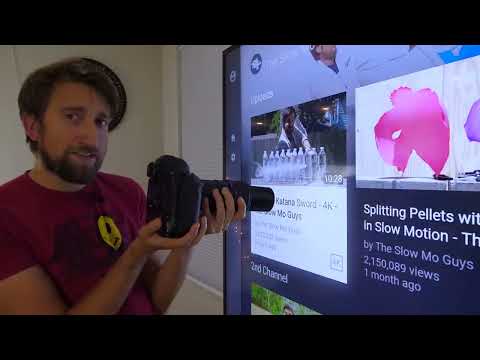 Plays via YouTube's privacy-enhanced embed
8 Hacker News comments
From the HN archive; up to 20 kept per video, favoring different commenters. Recommendations first.
Citations, criticism and jokes
Read more
Read more
Read more